Converter
PDF → PNG
Drop your file below. Output defaults to PNG.
Drag & drop your PDF file
or browse to upload
.pdf · up to 50 MB
file
0 KB
Converting…
Processing securely — nothing is kept after this.
Ready to download
Converted
Something went wrong
Conversion failed. Please try again.
Files are deleted immediately after conversion. Privacy
About this conversion
PDF to PNG for teams
PDF to PNG is useful when you need a preview image, a slide-style graphic, or a thumbnail of a cover page for a ticket or intranet card — without handing someone the full PDF.
MultiDecode renders the first page of the PDF to PNG at a print-friendly resolution, then discards the working files. Be explicit with staff: this is page one, not every page in a long deck.
For a smaller photo-style preview, use PDF→JPG. For text extraction instead of an image, use PDF→TXT (text layer only — not OCR).
From an IT perspective, prefer a single approved renderer over screenshotting confidential PDFs into consumer editors.
When to use it
Good fits for this conversion
- Creating a cover preview for a knowledge-base article
- Dropping a page image into a ticket when the full PDF is unnecessary
- Generating a static graphic from a one-page PDF flyer
Limits
What to expect
- Only the first page is rendered per upload
- Encrypted or corrupt PDFs may fail
- Vector text becomes pixels — not an editable document
Security note
For IT and security-minded teams
PDF previews can still expose sensitive cover content. Apply the same classification rules you would for emailing the PDF itself.
Evidence
What a first-page preview looks like
We publish a one-page sample PDF built from a synthetic screenshot so you can see PNG preview quality before uploading work documents.
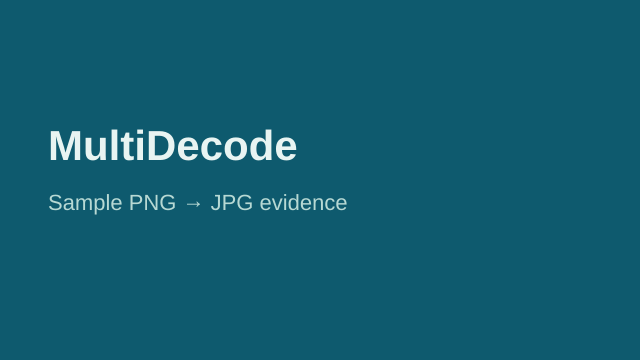
Production conversions render page one of your upload at ~150 DPI.
How it works
Three steps
Upload
Drop a PDF file (up to 50 MB).
Convert
PNG is selected by default — click convert.
Download
Save your file. We discard the working data afterward.
Troubleshooting
If something looks wrong
FAQ
Common questions
Guides
Related reading
Related
Other conversions
More free tools on MultiDecode.